
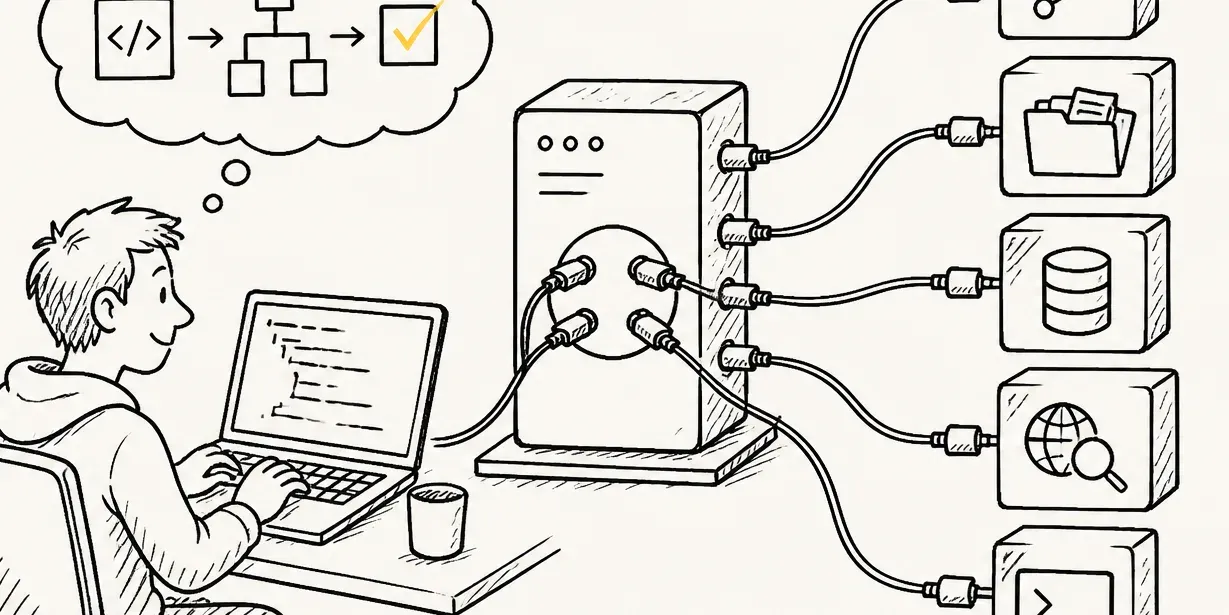
MCP servers explained: what they actually do in an agentic coding workflow
MCP servers aren't just another API layer. Here's what actually happens when a coding agent calls one, with a real setup, not the spec restated.
An MCP server gives an AI coding agent a way to reach outside its own context window: real files, a real ticket tracker, a real database, without you copying content into the chat by hand. That's the actual claim behind the Model Context Protocol (MCP), a smaller one than most explainers make it sound.
Most "mcp server" write-ups stop at the architecture diagram: a client, a server, a transport layer. That's accurate and not particularly useful on its own. What actually matters is what changes in a real coding session once one is connected.
What actually happens when an agent calls one
Without an MCP server, an agent only knows what's in its context window: the files you've opened, whatever you've pasted into the chat. Ask it to look at an open GitHub issue and fix it, and it can't. There's no GitHub issue in its context, only your description of one.
With a GitHub MCP server connected, the same request becomes something the agent can actually do. It calls the server, gets the issue's real title, description, and comments back as structured data, and works from that instead of your paraphrase. Whether the agent doing the calling is Claude Code, Cursor, or something else, the mechanism is the same: the server exposes tools, the agent discovers and calls them, nothing more.
A real MCP server, wired into an actual coding session
In Claude Code, connecting GitHub's own remote MCP server looks like this:
claude mcp add --transport http github https://api.githubcopilot.com/mcp/ \
  --header "Authorization: Bearer YOUR_GITHUB_PAT"
The token is a GitHub personal access token, scoped to the repositories the agent should touch. For a server that runs as a local process instead of a hosted endpoint, the equivalent is claude mcp add <name> -- <command> [args...].
Either way, claude mcp list (or /mcp inside a session) shows whether the connection actually succeeded. That's a real "connected" or "failed" status, with the HTTP error code on a failure, not just confirmation that the command ran.
| Transport | When it's used |
|---|---|
http | A hosted MCP server reachable over the network, the default for most third-party servers |
sse | Legacy: Claude Code's own docs mark it deprecated in favor of http, still needed for the handful of services that only expose an SSE endpoint |
stdio | A server run as a local process on your machine, started and piped to directly |
From there, a request like "add the feature described in issue 214 and open a PR against it" stops being a two-step process where you read the issue and describe it. It becomes one the agent executes directly: read the issue through the server, make the change, open the PR through the same server. That's the entire practical difference MCP makes here, not a new capability, a removed manual step. It's also worth noting once in whatever repo-level instruction file the team already maintains, so teammates get the same server connected rather than rediscovering it individually.
Why this isn't just an API with extra steps
The plain answer: MCP doesn't give an agent anything an API call couldn't already do. What it gives you is one integration pattern instead of a custom one per tool.
| Connecting GitHub, a database, and a ticket tracker without MCP | Connecting the same three with MCP | |
|---|---|---|
| Integration work | Three separate ad hoc integrations, each with its own auth and request shape | One pattern: implement or use an MCP server per tool, the agent calls all three the same way |
MCP standardizes the shape of that connection, so both the agent and the person configuring it only have to learn the pattern once.
That's a real, if modest, claim. MCP doesn't make an agent smarter. It makes connecting one to real systems a solved problem instead of one you re-solve per integration.
MCP is infrastructure, not a feature you'd notice on its own. The value shows up in what an agent can do without you pasting content into it by hand, and that's worth judging by the specific servers you'd actually connect, not the protocol diagram. A short, hands-on-verified shortlist for everyday dev tasks is the natural next stop, including which "official" servers have quietly been archived and shouldn't make anyone's list anymore.
An API is a specific interface one system exposes. MCP is a standard way for an agent to discover and call whatever API a server wraps, using one consistent pattern instead of a bespoke integration per tool. You still need a server that implements MCP and wraps the underlying system, MCP doesn't replace that work, it standardizes how an agent talks to it.
You implement the MCP specification (the tools and resources it exposes, and how) against whatever system you're wrapping, then expose it over one of MCP's transports (HTTP, SSE, or stdio for a local process). Most people start from an existing SDK rather than writing the protocol handling from scratch.
VS Code supports MCP the same way Claude Code and Cursor do, as a client that can connect to any MCP server to give Copilot or another assistant access to external tools and data from inside the editor.
- Model Context Protocol, official introduction: Official spec description of what MCP is and its client/server/transport architecture, verified 2026-08-08.
- Claude Code documentation, Connect Claude Code to tools via MCP: Current claude mcp add command syntax and supported transports, verified 2026-08-08.